

Most Managed Service Provider (MSP) work follows familiar patterns. A new employee joins a client and needs accounts, licenses, and documentation. Someone leaves, and their access must disappear just as quickly. Password reset tickets appear before the coffee cools. Licensing counts need to match the PSA before billing goes out.
None of these tasks are unusual. They’re part of the operational rhythm of running managed services. The interesting part is that they need to keep happening across every client environment – consistently, perfectly, and without delay.
That repetition creates an opportunity. When the same sequence of steps shows up every week, it becomes a strong candidate for automation.
This blog walks through 10 automation use cases MSPs often start with to see value quickly. Each one reflects work your team already performs and shows where automation can take over the routine parts.
TL;DR — Start automating with these 10 prebuilt automations, aka Crates:
- Onboarding new users
- Offboarding users
- Password resets
- Documenting client environments
- Microsoft 365 management
- Billing reporting
- AI ticket categorization and prioritization
- Privileged access management
- Security and compliance alerting
- Multi‑factor authentication reporting
What powers these MSP automation workflows?
MSPs typically automate these processes by connecting the tools they already rely on and turning routine requests into triggered workflows.
Rewst provides three components that make this possible.
- Crates are prebuilt automations built by Rewst — packaged workflows designed around common MSP processes. The ten use cases in this blog are all available as Crates, giving MSPs a ready‑made starting point they can deploy immediately and then tailor to match their environment and service stack.
- Integrations connect platforms such as PSAs, RMM tools, Microsoft 365, security platforms, and documentation systems so that workflows can automatically move data between them. Rewst manages and maintains these integrations, so MSPs don’t have to build or update API connections themselves.
- RoboRewsty is Rewst’s in‑platform AI assistant that helps teams build and refine workflows faster. You can describe the workflow you want, and RoboRewsty adds tasks, links actions, generates the required logic, and helps modify existing workflows directly in the workflow canvas.
Together, these components allow MSP teams to turn common service requests into reliable workflows rather than manual processes.
Start with identity and user lifecycle automations
What identity and user lifecycle tasks should MSPs automate first?
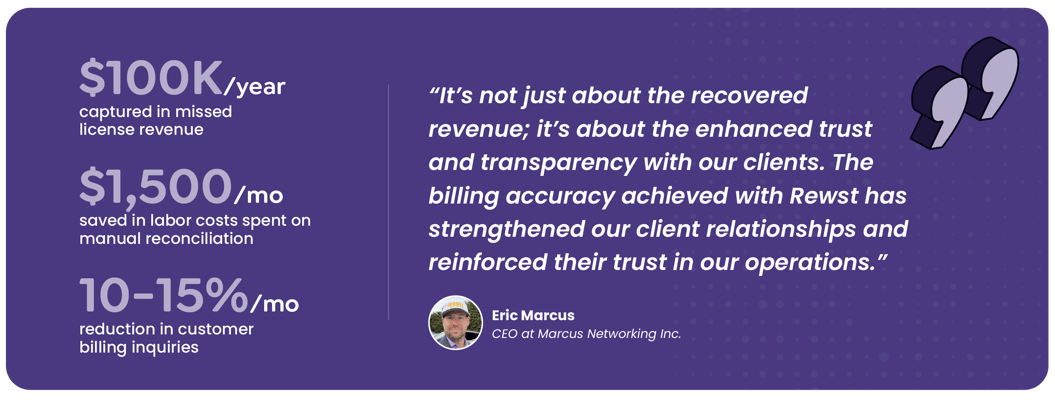
User lifecycle requests are some of the highest‑volume tickets MSP teams handle. These Rewst Crates automate the full workflow across identity systems, Microsoft 365, documentation, and the PSA, so access changes happen consistently across the stack.
Onboarding new users
Provisions the user across Microsoft 365, assigns licenses and groups, and records the setup in the PSA and documentation tools.
Offboarding users
Disables accounts, removes access, and updates service records to document the departure across systems.
Password resets
Allows users to request resets while automatically updating credentials and logging the activity in the PSA.
These workflows commonly connect with tools such as: ConnectWise Automate, ConnectWise PSA, Datto Autotask PSA, Datto RMM, Freshdesk, Google Enterprise License Manager, Google Workspace Admin, HaloPSA, ImmyBot, Kaseya BMS, Kaseya VSA, Kaseya VSA X, Microsoft Azure, Microsoft Graph, N-able, N-able N-central, NinjaRMM, ServiceNow, SuperOps.
Automate core service delivery operations
What service delivery tasks benefit most from automation?
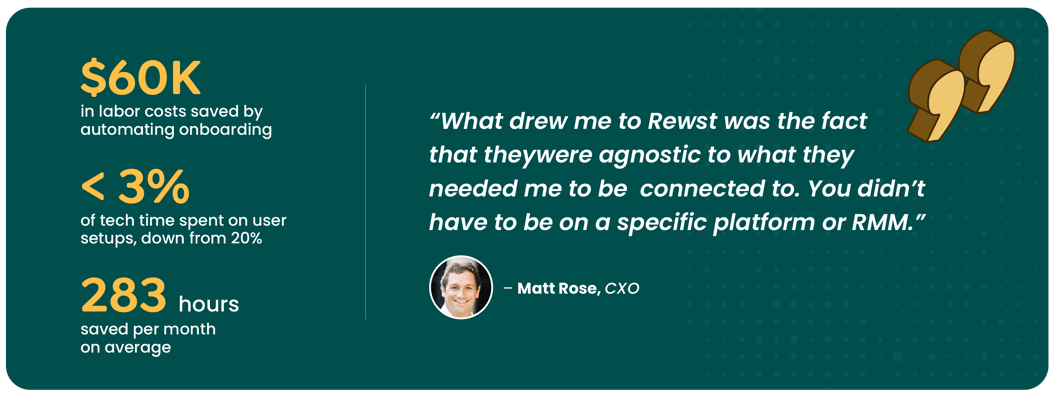
Service delivery depends on keeping client data accurate and routing requests correctly. These Rewst Crates coordinate updates between the PSA, documentation systems, and cloud platforms so technicians don’t have to manually reconcile records across tools.
Documenting client environments
Synchronizes user data, licensing details, and permissions with documentation platforms to keep records up to date.
Microsoft 365 management
Handles common administrative tasks such as mailbox permissions, out‑of‑office messages, and mailbox monitoring while recording the activity in the PSA.
Billing reporting
Reconciles licensing and usage data across platforms so PSA contracts and invoices reflect the services clients actually consume.
AI ticket categorization and prioritization
Automatically categorizes incoming tickets, assigns priorities, and routes them to the right technicians.
These workflows commonly connect with tools such as: Anthropic, Auvik, ConnectWise Automate, ConnectWise PSA, Datto Autotask PSA, Datto RMM, Duo, Freshdesk, HaloPSA, Hudu Documentation, Huntress, ImmyBot, IT Glue, Kaseya BMS, Microsoft Exchange Online, Microsoft Graph, NinjaRMM, OpenAI, Pax8, ProofPoint, SentinelOne, and ServiceNow.
Strengthen security with automated workflows
What security workflows should MSPs automate?
Security workflows focus on enforcing access policies and detecting configuration changes across client environments. These Rewst Crates coordinate actions across identity systems, endpoints, and the PSA so alerts, access controls, and reporting stay consistent.
Privileged access management
Manages administrative access by controlling local admin accounts and rotating credentials across endpoints.
Security & compliance alerting
Detects policy changes and security events, generating alerts or PSA tickets so technicians can respond quickly.
Detailed multi-factor authentication reporting
Produces reports showing MFA status and policy enforcement across users or entire client environments.
These workflows commonly connect with tools such as: ConnectWise Automate, ConnectWise Control, ConnectWise PSA, Datto Autotask PSA, Datto RMM, Duo, Freshdesk, HaloPSA, Kaseya BMS, Microsoft Graph, N-Able, NinjaRMM, and ServiceNow.
How do these automations improve MSP operations?
Automation changes how routine service work moves through your stack. Instead of technicians repeating the same steps across multiple systems, automated workflows coordinate updates between identity platforms, Microsoft 365, documentation tools, and the PSA.
The result shows up in daily operations: fewer manual tickets, consistent user changes across systems, and licensing data that aligns with billing, just to name a few.
Each of these automations is available as a prebuilt Crate in Rewst, so MSPs can start automating immediately instead of building workflows from scratch. These automations represent the starting point of the automation journey, where MSPs automate a few high‑impact workflows to prove value and build momentum.
When teams are ready to move beyond those first wins, our ebook, Automation ROI: A Practical Guide to Maximizing MSP Value, explains how MSPs use a crawl, walk, run approach to expand automation across their operations.
Related Posts
Most MSP shops have figured out by now that ChatGPT or Claude can generate PowerShell scripts and API calls on demand. ...
I keep coming back to one question: what's actually slowing down automation for MSPs? For a long time, the answer was ...