


Integrations


Meta description: Planning 2026 MSP automation? See which automation patterns actually held up in 2025, from PSA workflows to billing and Microsoft 365 operations.
By 2025, many MSPs were dealing with the same set of problems. Manual processes were doing more work than they were built to handle, and the gaps showed as environments became more complex. Workflows slowed when manual handoffs didn’t scale. Billing fixes surfaced after the damage was already done. Growth put pressure on systems that were never designed to scale.
Those cracks showed up quickly. Missed time, rework, and shrinking margins became harder to ignore.
What follows is a look back at what actually held up. These are the patterns MSPs relied on to reduce PSA drag, make billing more predictable, and scale without concentrating risk on a small number of people.
TL;DR
2025 on rewind: how MSPs used automation
Automation showed up inside the workflows MSPs already relied on. Teams used it in their PSA, kept Microsoft 365 tenants consistent, surfaced billing issues earlier, and supported growth without leaning on tribal knowledge.
The common requirement was dependability. Automation had to keep running when volume increased, priorities shifted, or ownership changed hands.
Track 1 — RoboRewsty as an in-platform automation assistant
Automation usually does its job once it’s running. The strain shows up during change, when logic needs to be revisited, edge cases appear, or a workflow changes owners.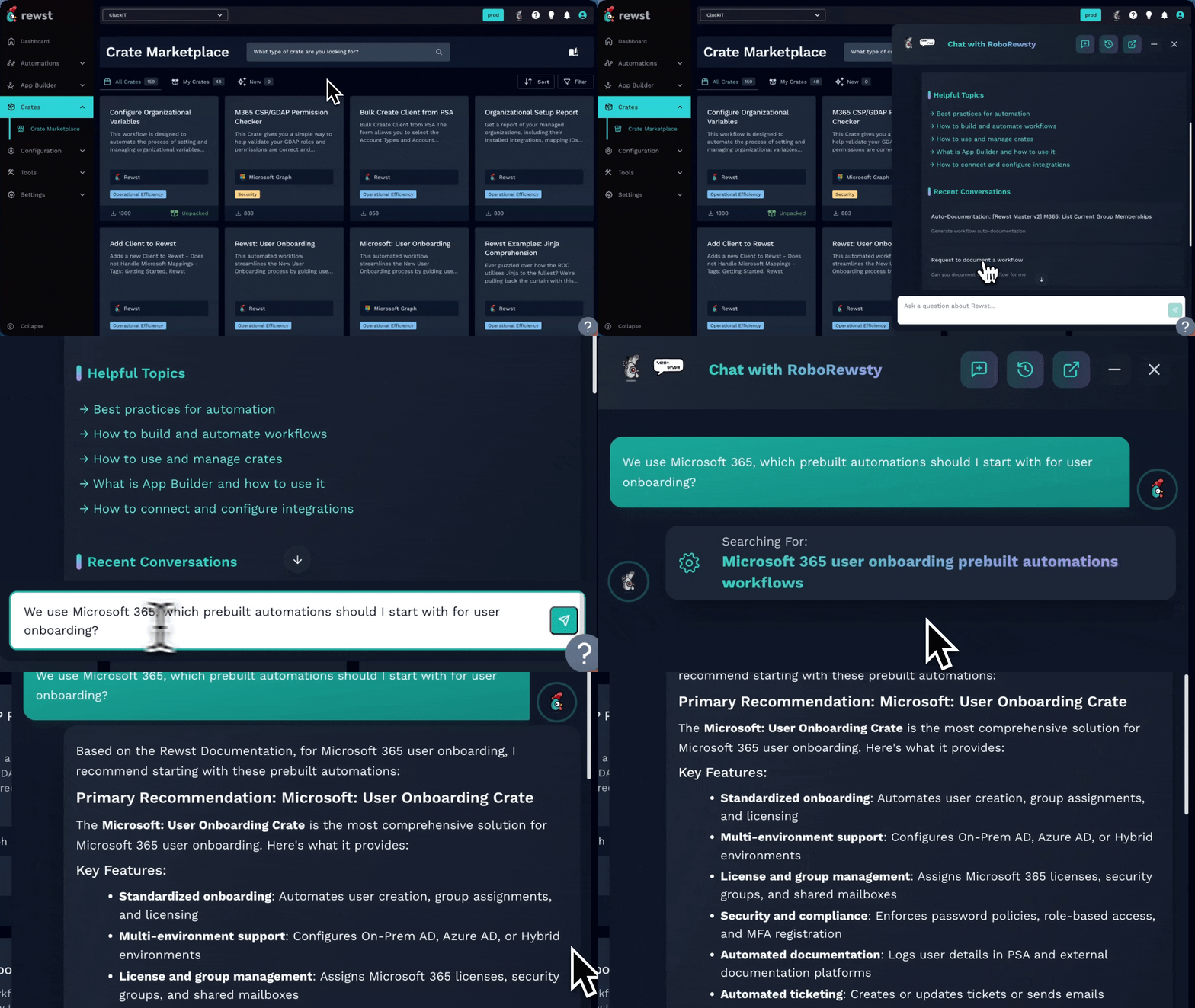
RoboRewsty was built to support those moments.
As an in-platform AI assistant, RoboRewsty provides guidance directly inside the workflow. Builders can validate changes, work through edge cases, and move forward without losing context or handing off unfinished work.
These friction points show up most often when workflows are revisited under time pressure or span multiple tools. Keeping guidance close to the logic helps builders resolve issues without obscuring how the automation works.
Practical takeaway: In-workflow AI guidance and answers speed up automation completion and reduce context-switching.
In practice: This approach works best when workflows are shared and documented. It becomes fragile when only one person understands how the automation behaves. Use RoboRewsty to document your workflows. By capturing automation behavior in a shared, accessible way, your organization avoids fragile, single-owner knowledge and builds durable processes.
Read more: Reintroducing RoboRewsty
Track 2 — Centralizing Microsoft 365 automation with CIPP
Microsoft 365 touches nearly every part of an MSP’s day. Tenant setup, standards, permissions, checks, and cleanup happen constantly and are often spread across multiple tools and scripts.
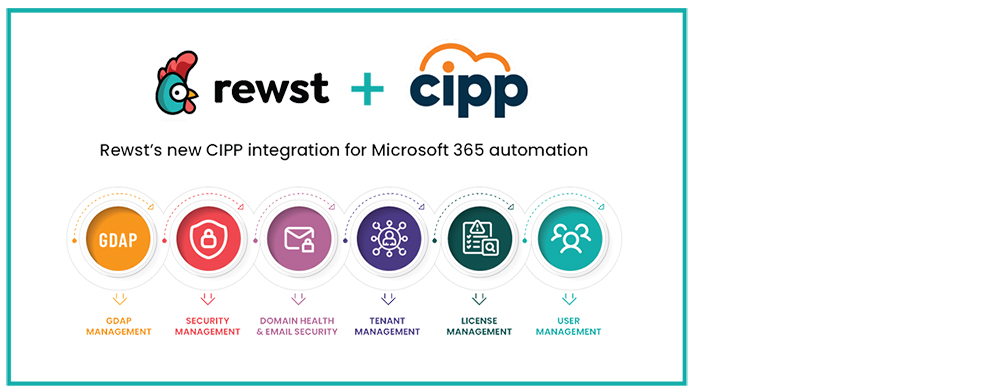
The CIPP integration brought that work into a single automation layer. By integrating CIPP into how Microsoft 365 tasks run through Rewst, common actions can be standardized and repeated alongside other workflows, rather than being managed separately.
For MSPs using CIPP, this reduced the need for tool switching. Tenant standards and changes reside alongside other automations, making Microsoft 365 easier to manage and more consistent over time.
Practical takeaway: Centralizing Microsoft 365 automation with CIPP and Rewst helps promote consistent standards and prevents tenant drift.
Common edge case: Drift still appears when tenant-specific exceptions are not tracked. Standardization requires a clear way to handle exceptions without forking workflows.
Read more: Meet the new CIPP integration
Track 3 — Reducing process debt in HaloPSA

PSAs often accumulate process debt gradually. Manual steps remain longer than expected because the work is familiar, frequent, and performed under time pressure. Over time, these inefficiencies stack up in ticket handling, updates, and follow-through.
The HaloPSA post focused on specific automation patterns tied directly to real PSA workflows. Instead of abstract use cases, it highlighted concrete examples MSPs could adapt to reduce manual handling, improve consistency, and remove repetitive steps from daily work.
That focus reduced day-to-day friction without requiring teams to change their existing operations. Ticket flow became more predictable, and managers spent less time stepping in to keep work moving.
Practical takeaway: Automate repeatable HaloPSA workflows first for easy adoption and clear results.
In practice: These automations hold up when ticket states and ownership rules stay consistent. They struggle when workflows change faster than the PSA configuration.
Read more: 7 powerful ways automating HaloPSA transforms MSP operations
Track 4 — Making billing reconciliation routine

Billing reconciliation is often pushed to the end of the month. It takes time, doesn’t feel urgent, and is frequently treated as a cleanup rather than a repeatable process.
The billing reconciliation post showed how automation can turn reconciliation into a routine activity. By regularly comparing agreements, contracts, licensing, and directory data, MSPs surfaced discrepancies without relying on manual spot checks or last-minute reviews.
Small mismatches accumulate quietly and suddenly demand attention. Automation shifted this work earlier, so issues surfaced soon enough to be resolved without write-offs, client conversations, or late nights during invoicing.
Practical takeaway: Schedule regular billing reconciliations to catch issues early and ease month-end pressure.
Common mistake: Running reconciliation too infrequently. Monthly-only checks still allow billing surprises to slip through.
Read more: Mastering billing reconciliation
Track 5 — How MSPs actually start automating

Many MSPs delay automation because they assume progress requires a dedicated role before anything can begin. Automation becomes a future initiative, rather than something that starts today.
The automation engineer myth post examined how automation typically begins in practice. In most cases, it grows out of existing roles. A technician, engineer, or operations lead starts improving workflows they already understand while continuing their day-to-day responsibilities.
Automation develops through small changes tested in familiar processes and expanded as confidence grows. Treating automation as shared work lowers the barrier to entry and enables quicker progress.
Practical takeaway: Start automating by improving a few known workflows with your current team.
Common mistake: Waiting until roles and titles are fully defined. Most progress starts before organizational changes.
Read more: Busting the myth that MSPs need a full-time automation engineer
Bonus scenes: Automation success stories from 2025
Matson & Isom went beyond the service desk
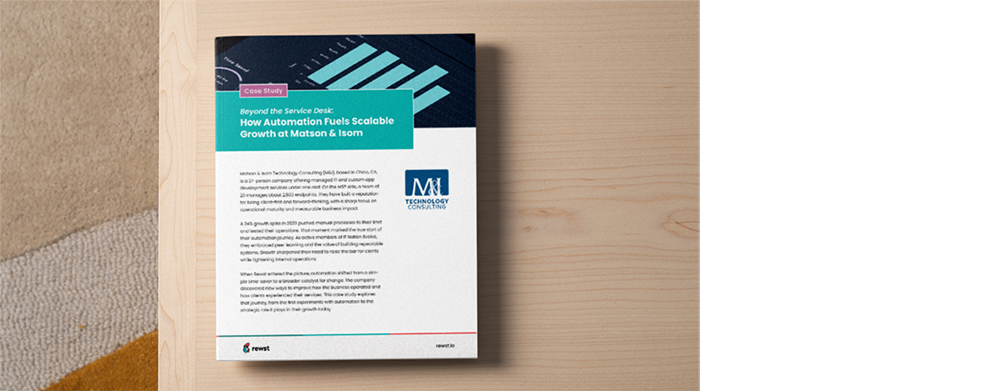
Matson & Isom began by automating common service desk work and saw quick wins. As the business grew, scripts and one-off automations became harder to maintain and even harder to share.
Rewst provided a shared place for automation. What started with onboarding grew into billing checks, sales workflows, and revenue-related tasks like identifying refresh opportunities and maintaining pricing alignment.
Automation shifted from saving time to improving visibility. Senior staff spent less time on repetitive work and more time improving processes that had positive impact on their clients.
Practical takeaway: Automation delivers best results when deployed across the business, not just the service desk.
In practice: This expansion works best when finance and operations help shape workflows alongside service delivery.
Using automation to support growth at Sourcepass
Growth exposes weak spots in the process. What works for a smaller client base starts to strain as volume increases, especially when teams rely on informal knowledge to keep work moving.

The Sourcepass case study showed how automation supported growth without attempting to overhaul everything at once. The focus remained on simplifying repeatable work, reinforcing standards, and providing teams with clear systems to operate within as the organization expanded.
Automation became a reliable infrastructure. By stabilizing core workflows, Sourcepass scaled without extra complexity or knowledge silos.
Practical takeaway: Structure workflows before growth to reduce operational pain as volume increases.
In practice: This holds up when workflows are documented and shared. It weakens when automation knowledge remains isolated with one person.
Read more: Scaling smarter: How Sourcepass simplified growth with automation
MSP automation on rewind, with 2026 queued up
By the end of 2025, most MSPs had moved past debating whether automation worked. These approaches held up because they continued working under real operational pressure.
Looking ahead to 2026, the focus is on applying proven patterns to areas of the business that still depend on manual effort or individual knowledge. The MSP Automation Lookbook brings together eight real use cases from MSPs already doing that work across service desk, operations, and billing.
For teams deciding what to automate next, the Lookbook illustrates how MSPs transitioned from isolated wins to automation they rely on daily.

Related Posts
A practical guide to PAM automation for MSPs, including identity verification, password rotation, JIT access, and ...
AI can accelerate work, but automation delivers consistency. Explore how MSPs use both today, where each fits, and how ...
See how Rewst’s new CIPP integration helps MSPs automate Microsoft 365 work, strengthen tenant oversight, and cut down ...